01
Know the place
Understand who they are, how they look and how they are categorised before you go.
- About the business
- Photos
- Business categories
Reward's Mate
Your local, in one place
Discover Brisbane businesses, see what's on nearby and explore menus, services and local plans. Keep participating stores' own loyalty cards together as they become available in the pilot.
Brisbane iPhone pilot. Store loyalty depends on each participating business. No Reward's Mate-wide points or redemption.
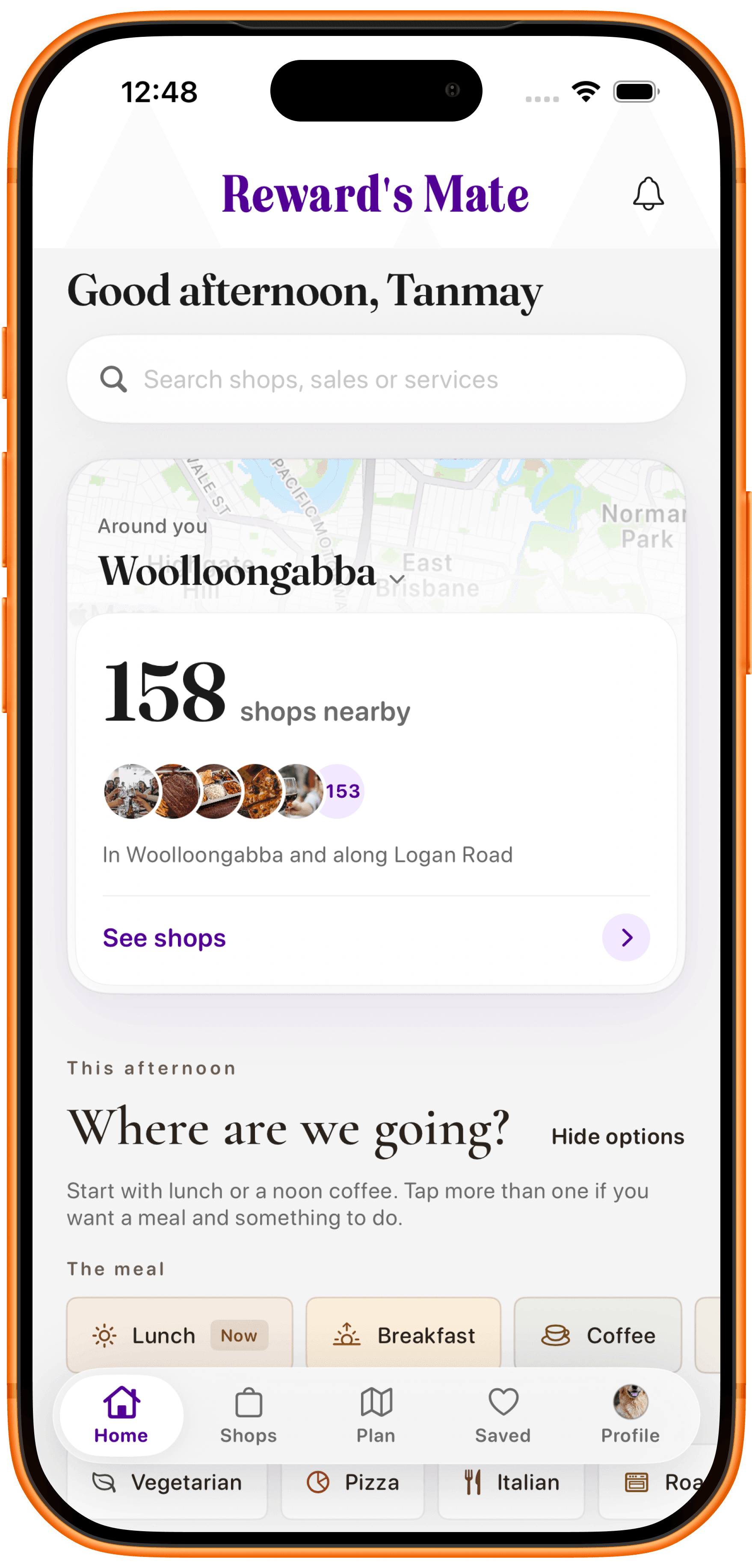
Explore local, open a business, then save or visit. If that store offers its own loyalty card, you can keep it in the same app.
Browse Brisbane shops, places to eat and things to do by area, mood or category.
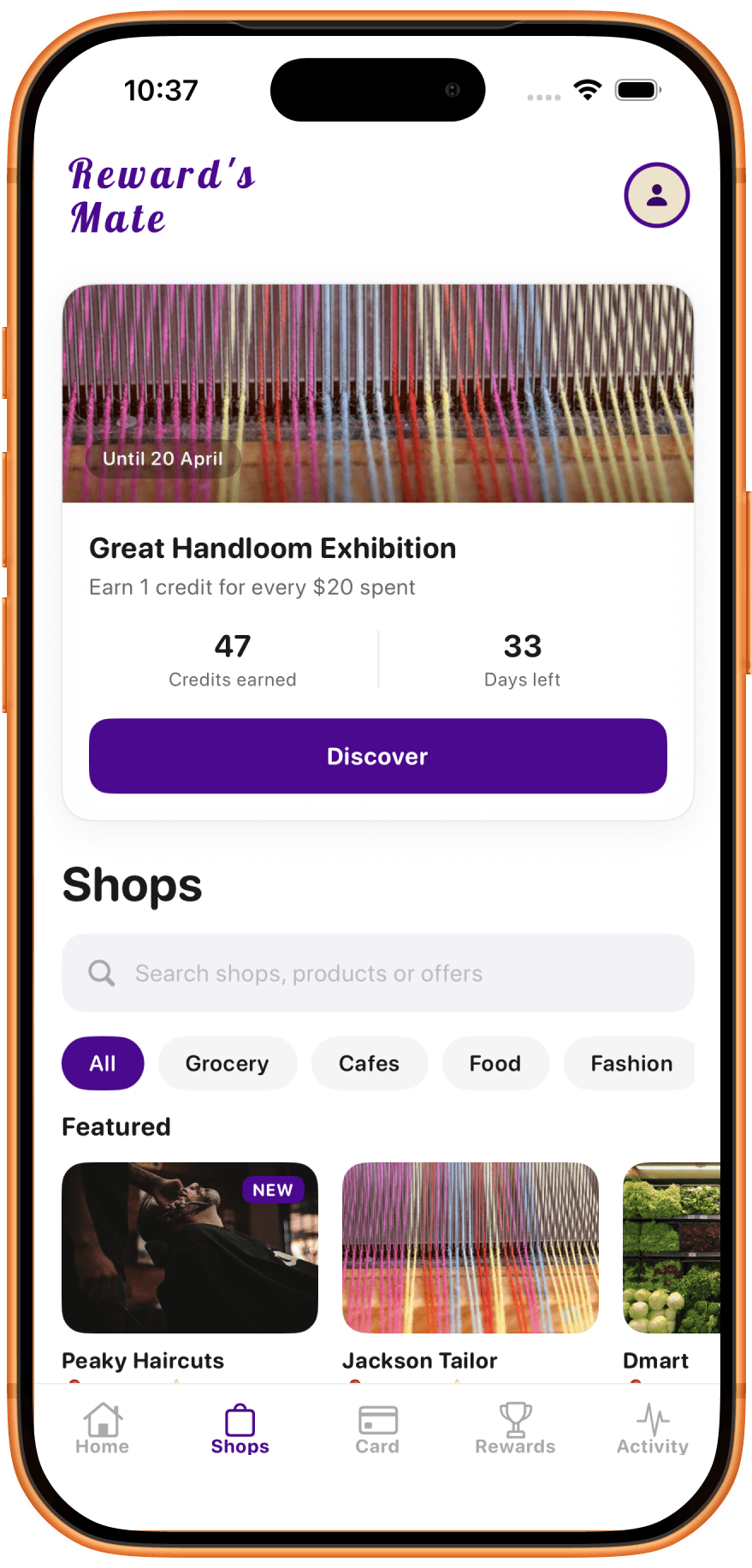
These Brisbane businesses have given permission to appear here: Little g Pizzeria, Cerin Pasticceria, Novelle Studio, Peaky Barbers and Barrels & Stills. A listing in the app is not automatically an official partner, and an early listing is not a live loyalty program.
Official early listings





Business profiles
Each business can have its own profile so customers can understand what makes it relevant before they visit.
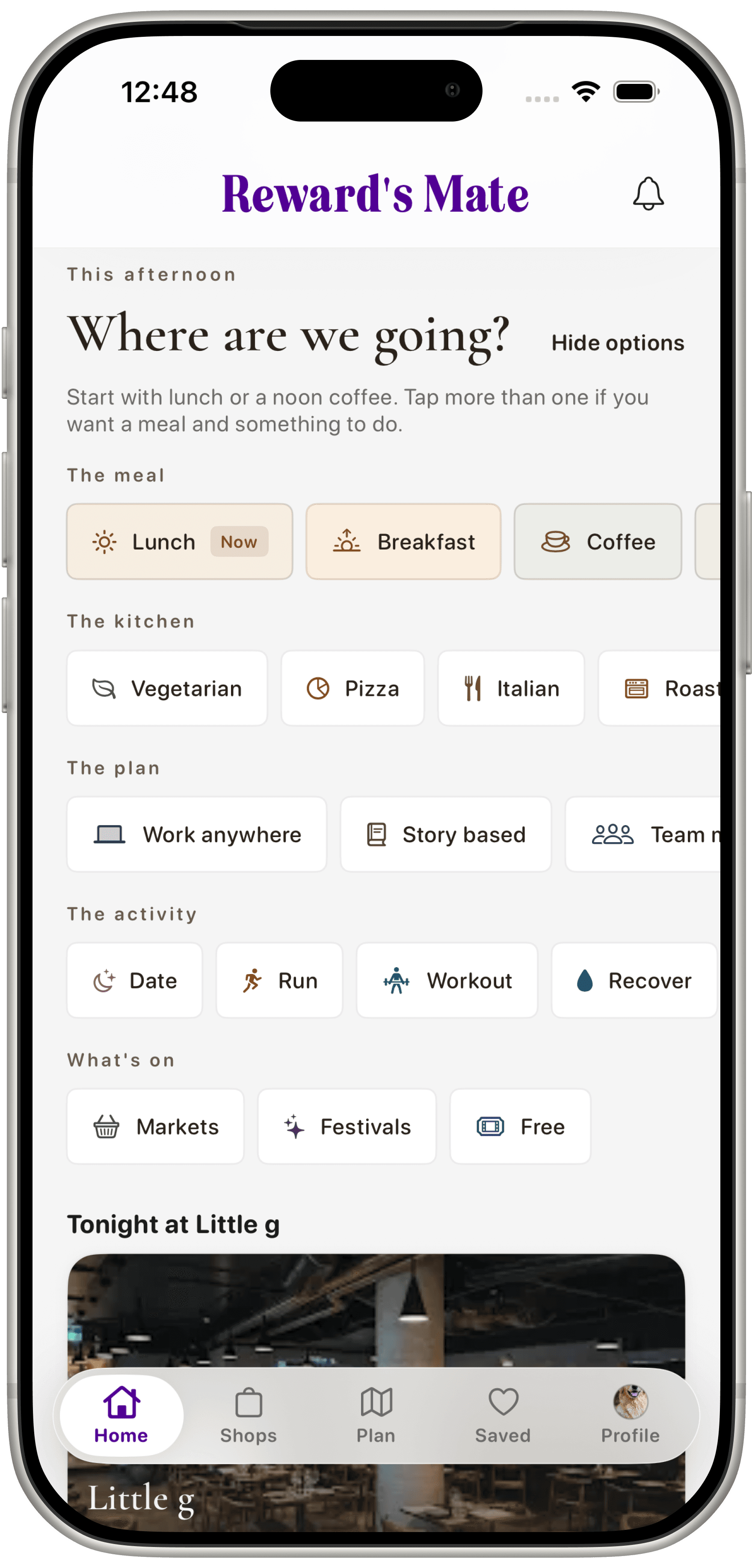
On home
Tonight, chosen for how you feel.
Customers pick a meal, kitchen, plan or activity. A featured local place can then appear on home, with a photo, a short story and a special if the business publishes one. This example shows Tonight at Little g.
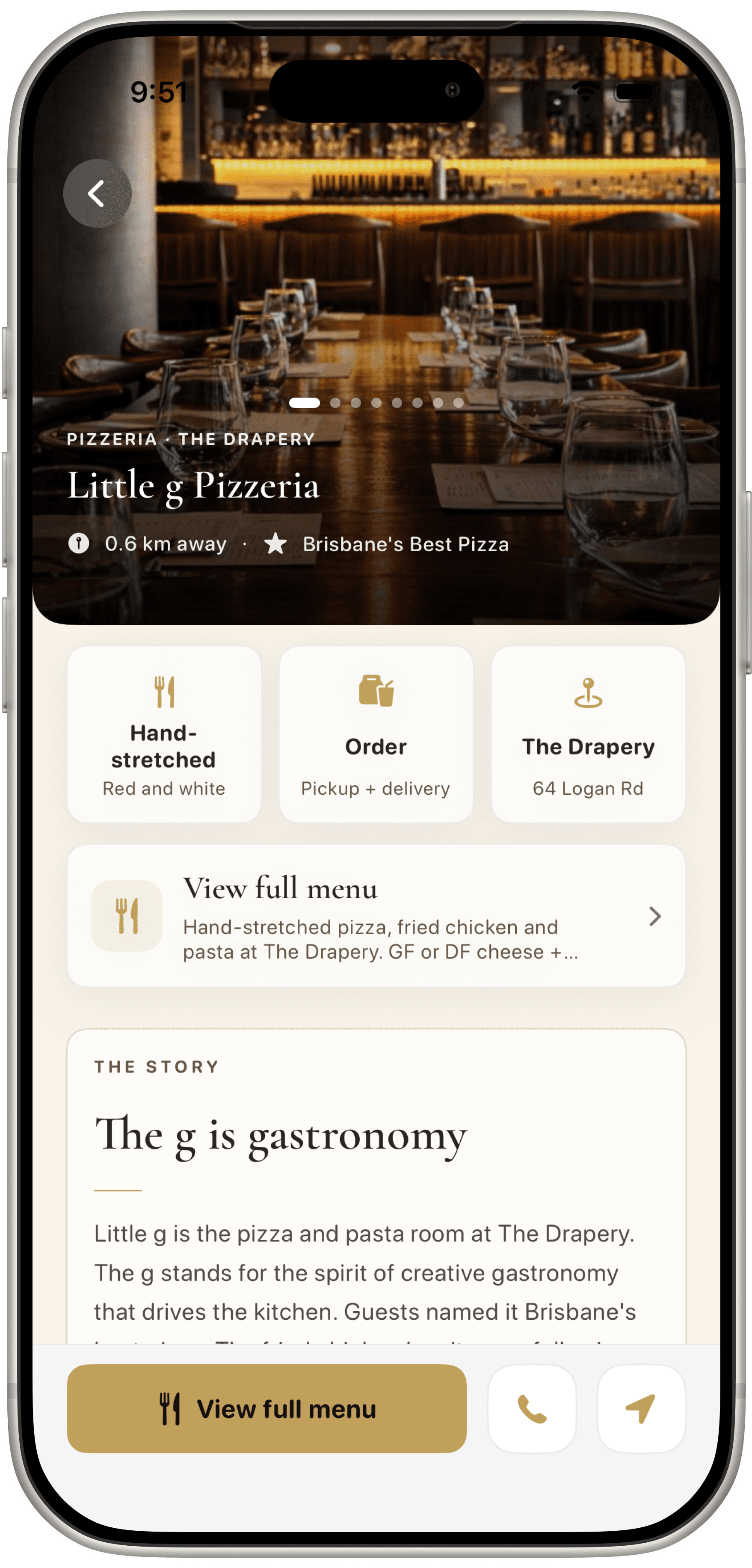
Inside the listing
Then open the full profile.
From home, customers can open the business profile to see photos, the story, hours, location and a path to the menu before they visit.
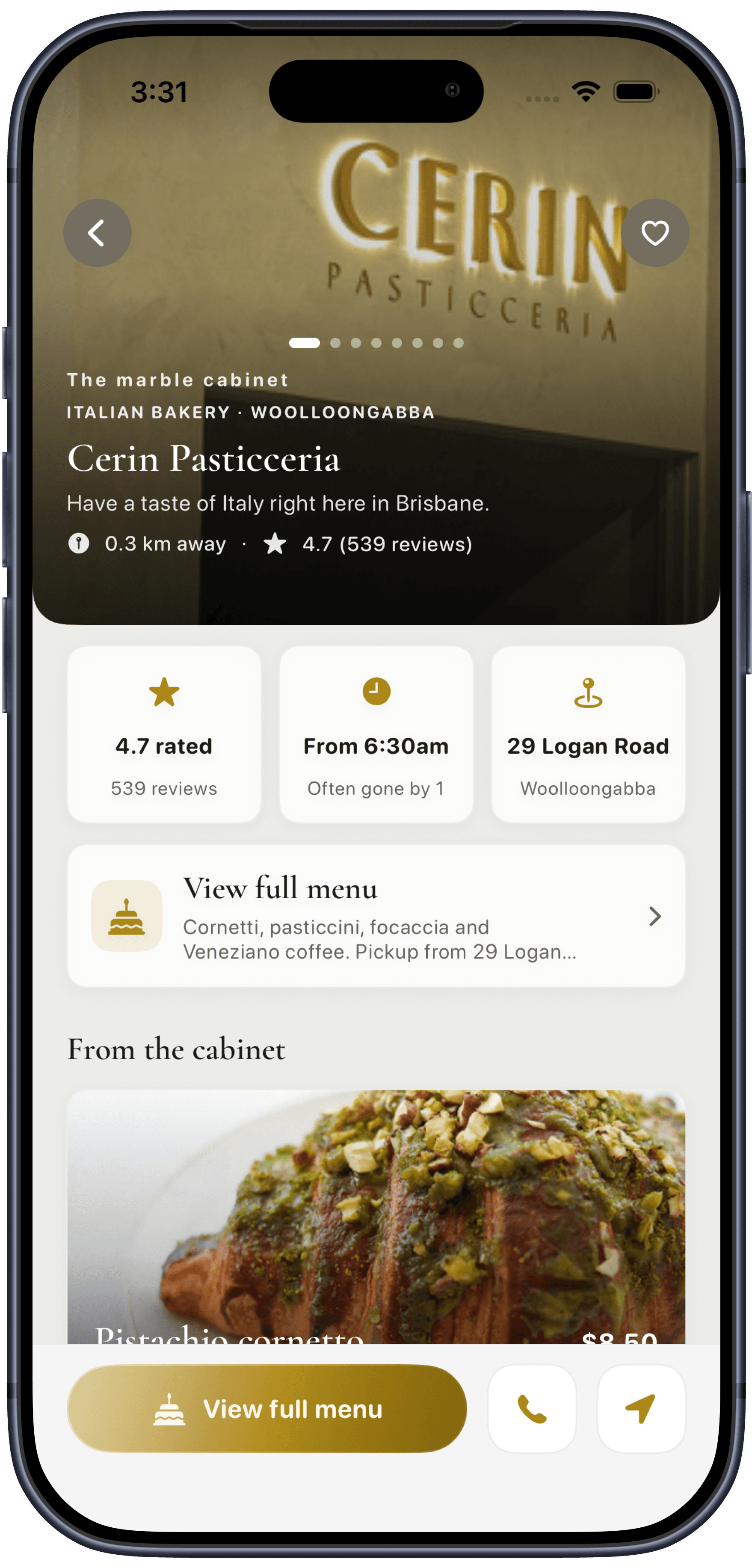
Official early listing
Cerin Pasticceria, in the app.
Open the Woolloongabba bakery for hours, the Logan Road address and pastry highlights from the cabinet.
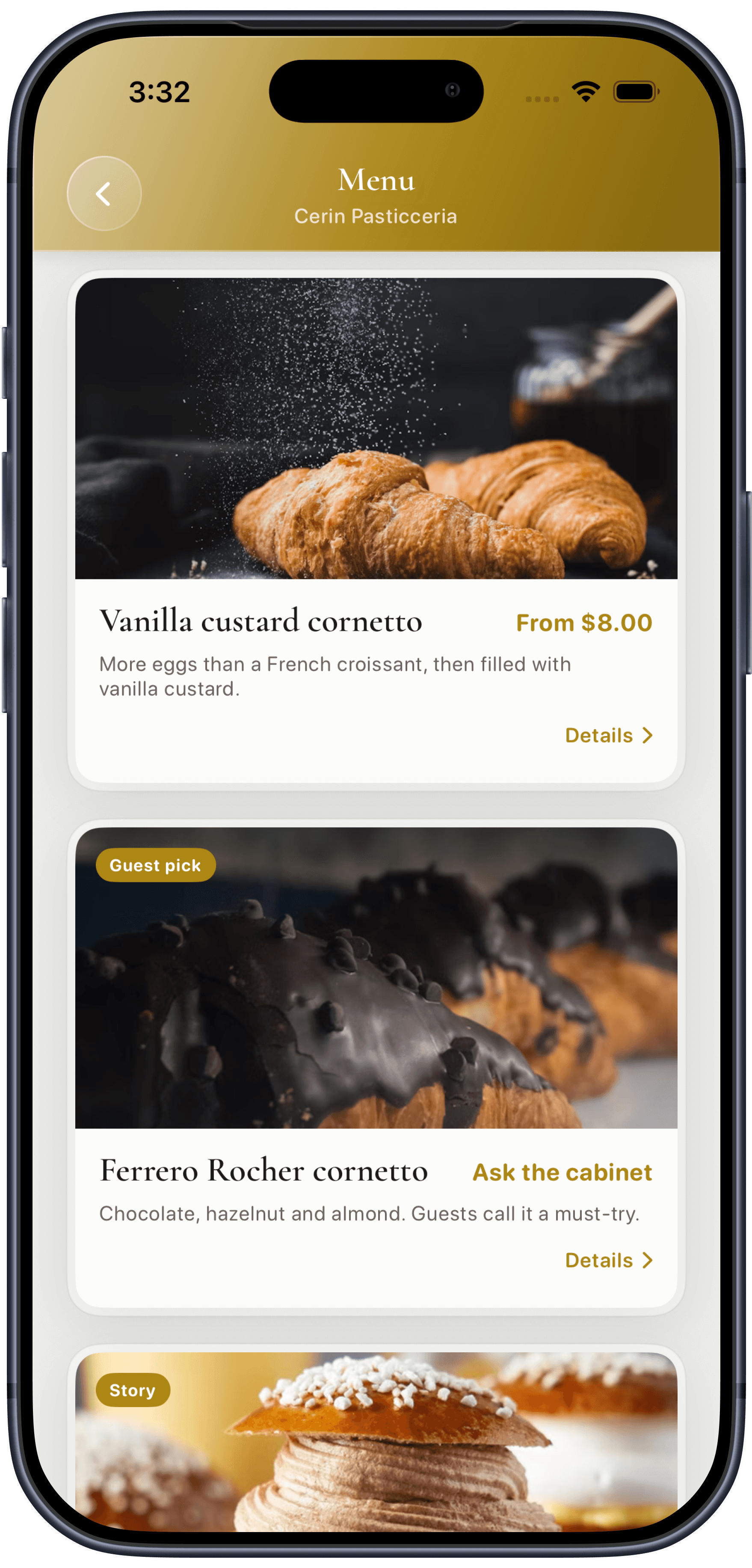
Inside the listing
Then browse the cabinet.
See published pastries, descriptions and prices before you visit. Hours and offers should still be checked with the bakery.
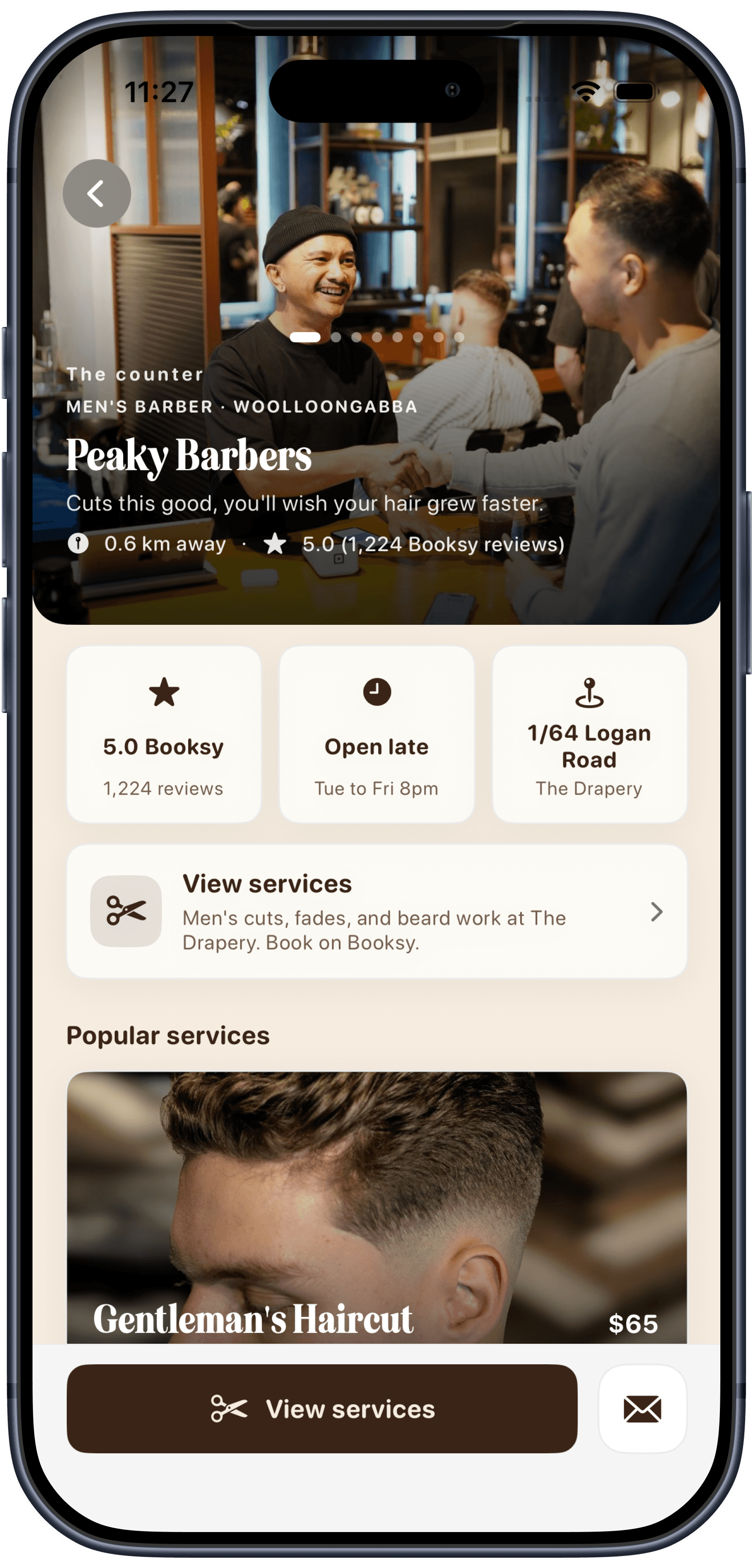
Official early listing
Peaky Barbers, in the app.
Open the Woolloongabba barber for hours, address and popular cuts before you sit down.
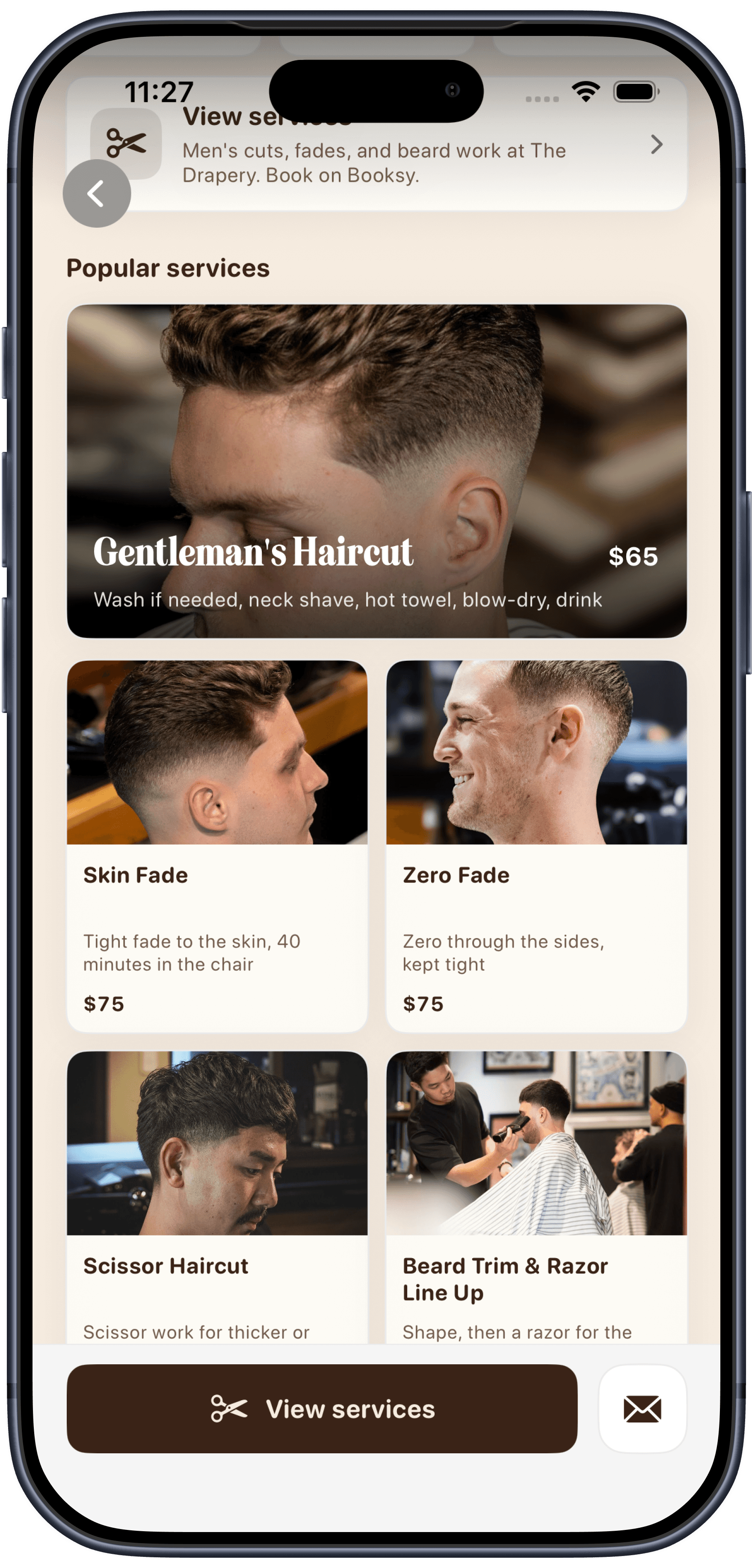
Inside the listing
Then browse the chair menu.
See haircuts, fades and beard work with published prices. Hours should still be checked with the shop.
Illustrative listing. Actual business details should be verified with the business.
01
Understand who they are, how they look and how they are categorised before you go.
02
See when they are open, where they are and how to reach them.
03
Browse services, menus and prices where the business publishes them.
In the app
A participating business may offer its own stamp or punch card in the app. Cards and rules stay with that store. Reward's Mate does not run a network points balance, earn rate or cross-store redemption.
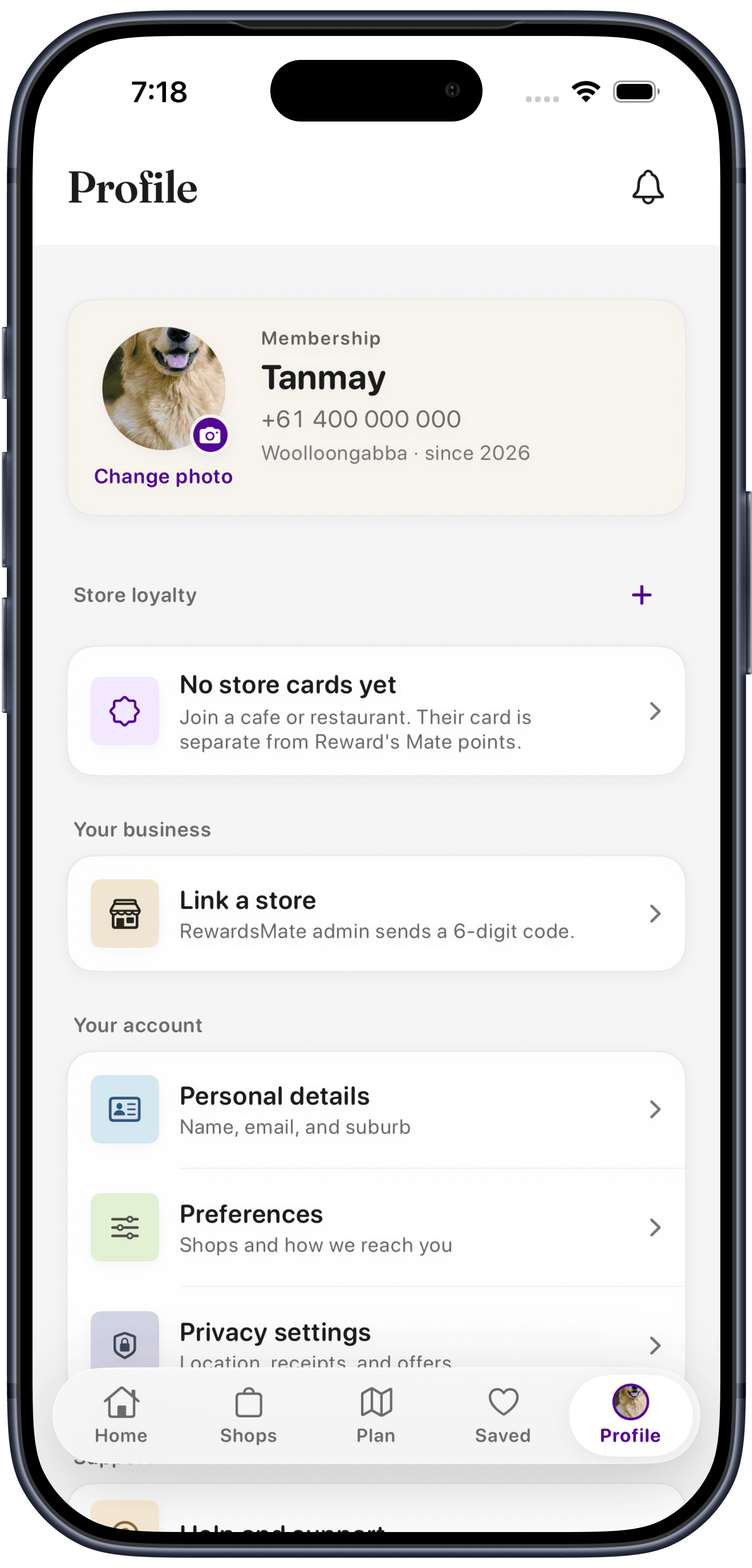
Store cards live on Profile.
When a participating shop offers its own card, it appears here with your account. This preview shows none yet. Linking a store is a demo in the pilot.
The Plan
The Plan gathers Brisbane ideas from published city and park sources, plus listed shops. Plan my day, get one idea, or browse markets, events and date ideas.
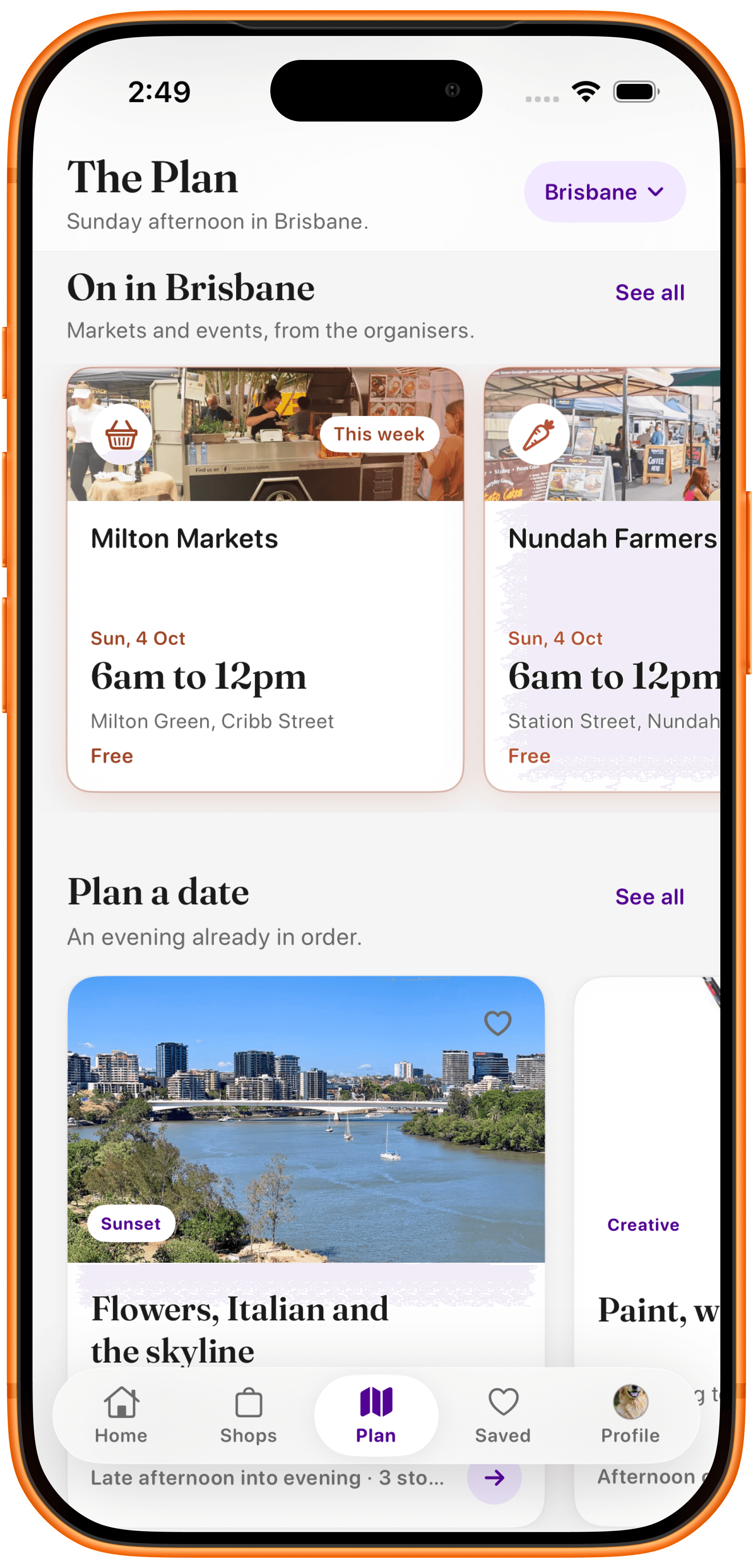
On in Brisbane
Markets and events this week.
See what organisers have on, then open a listing before you go.
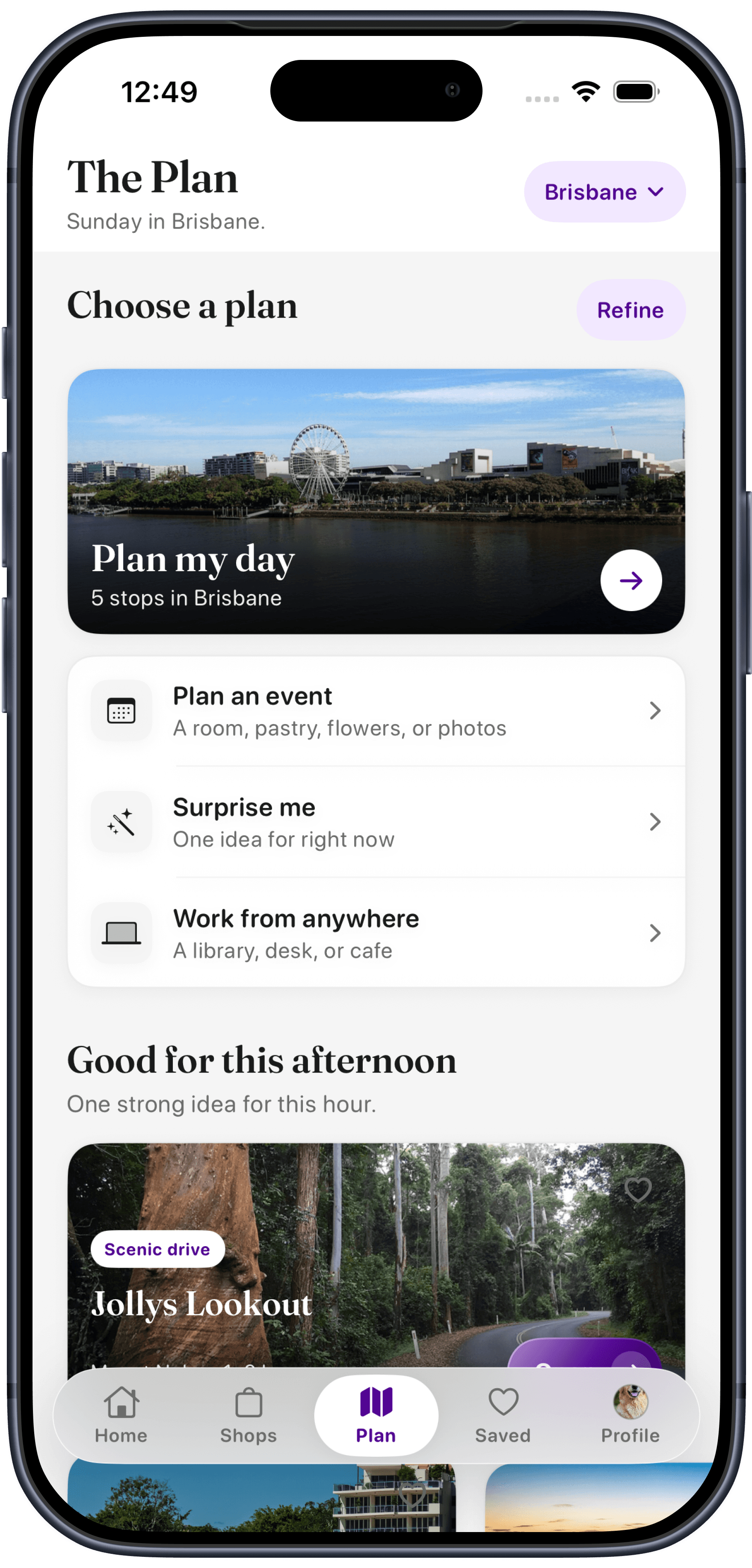
The Plan
Start here in Brisbane.
Plan my day, Surprise me, Plan an event, or find a place to work.
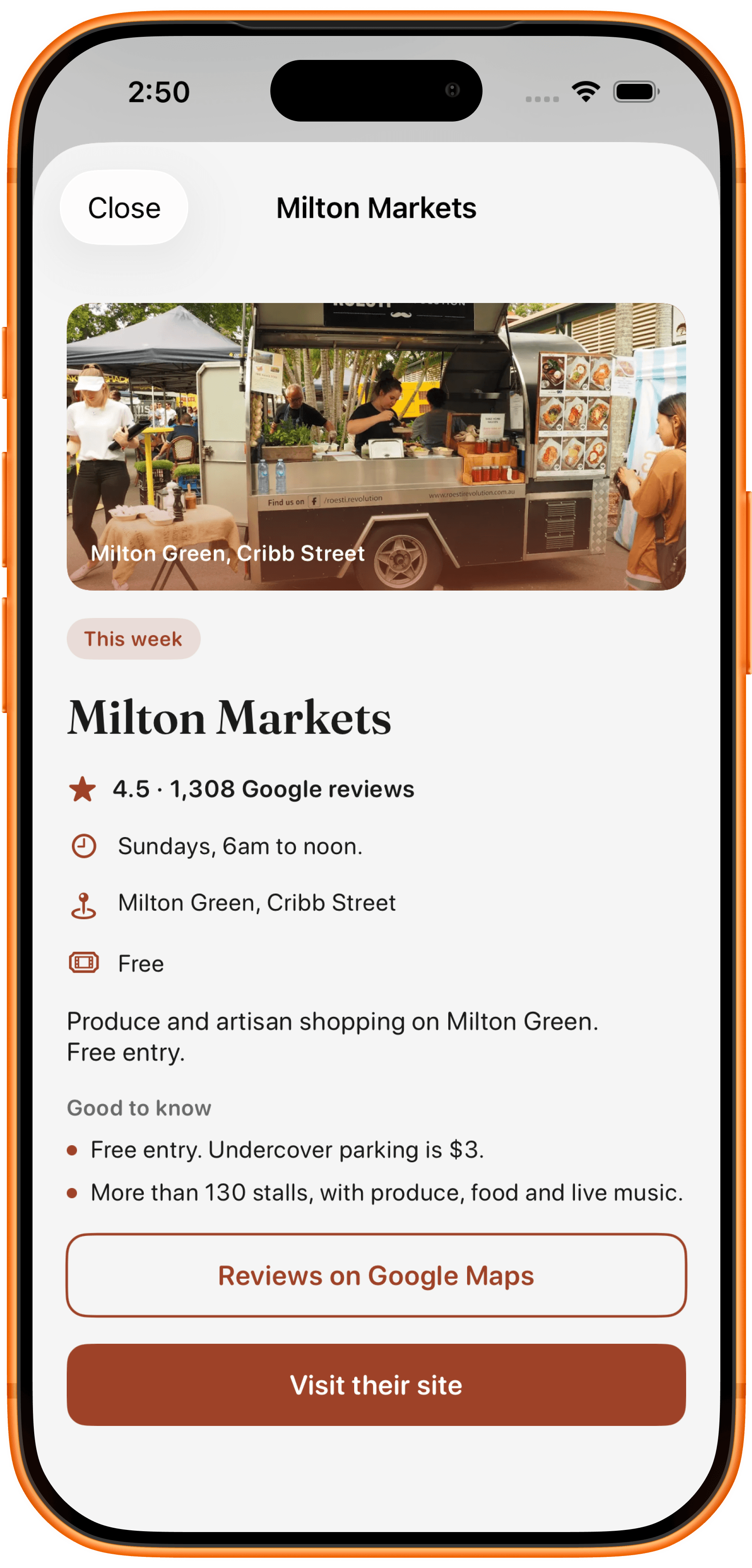
Open a listing
Then see the details.
Hours, location and a path to the organiser's site or Google Maps.
Plan my day
A ready-made Brisbane day with stops you can open one by one.
Surprise me
One idea for now, ranked for the time of day.
You go your way
Reward's Mate does not book the outing or take a cut.
Reward's Mate can use simple signals such as your location, selected interests, favourite categories and saved businesses to make local discovery more useful.
See businesses around your current area or chosen location.
Prioritise the kinds of places you actually care about.
Understand services, products, hours, location and business highlights before you visit.
Keep useful places easy to find again when you come back.
On Reward's Mate
Find local businesses and learn what they offer.
Businesses can present their own services, products and useful information. Owner editing in the iPhone app is a prototype, not a live self-service dashboard.
Not on Reward's Mate
Reward's Mate does not deliver food, groceries or products.
Reward's Mate does not process appointments, reservations or customer payments.
If a business links to its own website, phone number, booking system or ordering service, that experience is operated separately by the business or third party.
For local businesses
Send your business details and I'll prepare a free basic listing for your review. Customers can explore your story, photos, hours and offerings. Store updates and your own loyalty program can be discussed as part of the pilot. A submitted enquiry is reviewed before a public listing or content use.
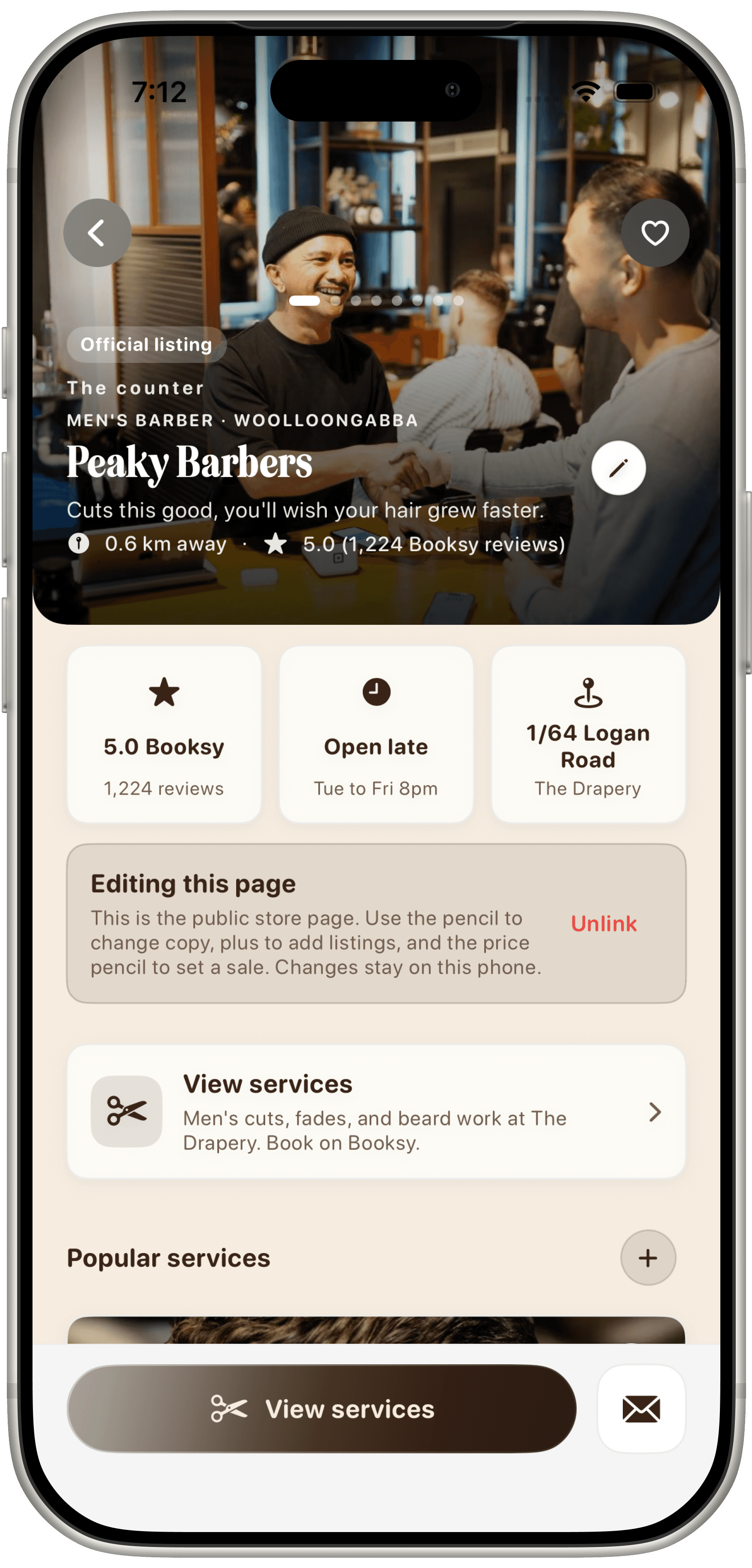
Store edit demo
Preview a linked listing.
This Peaky Barbers page is in edit mode so copy, hours and services can be changed on the phone. It is a prototype, not a live dashboard.
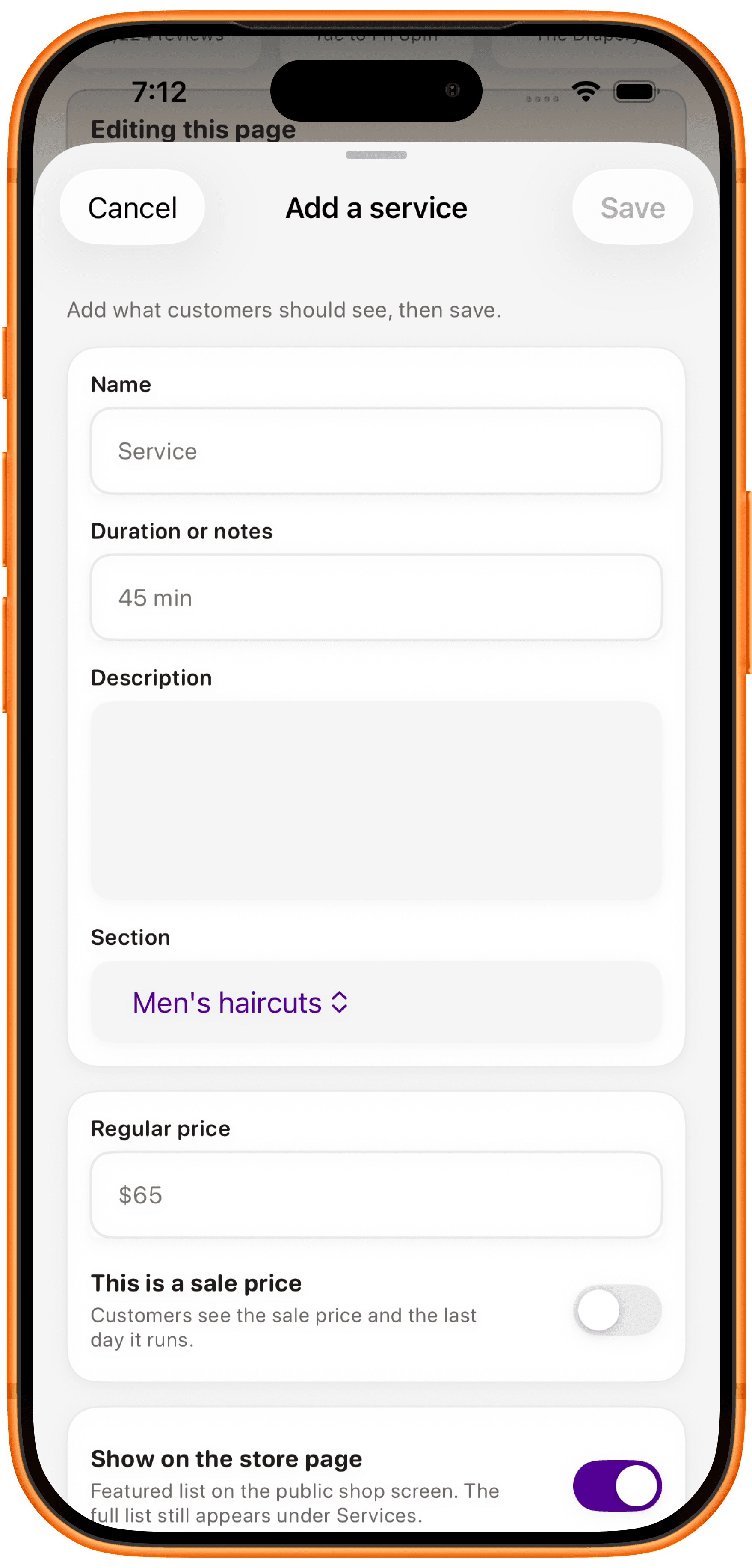
Add a service
Write what customers should see.
Name, duration, description, section and price, with an optional sale. Save stays on this phone in the demo.
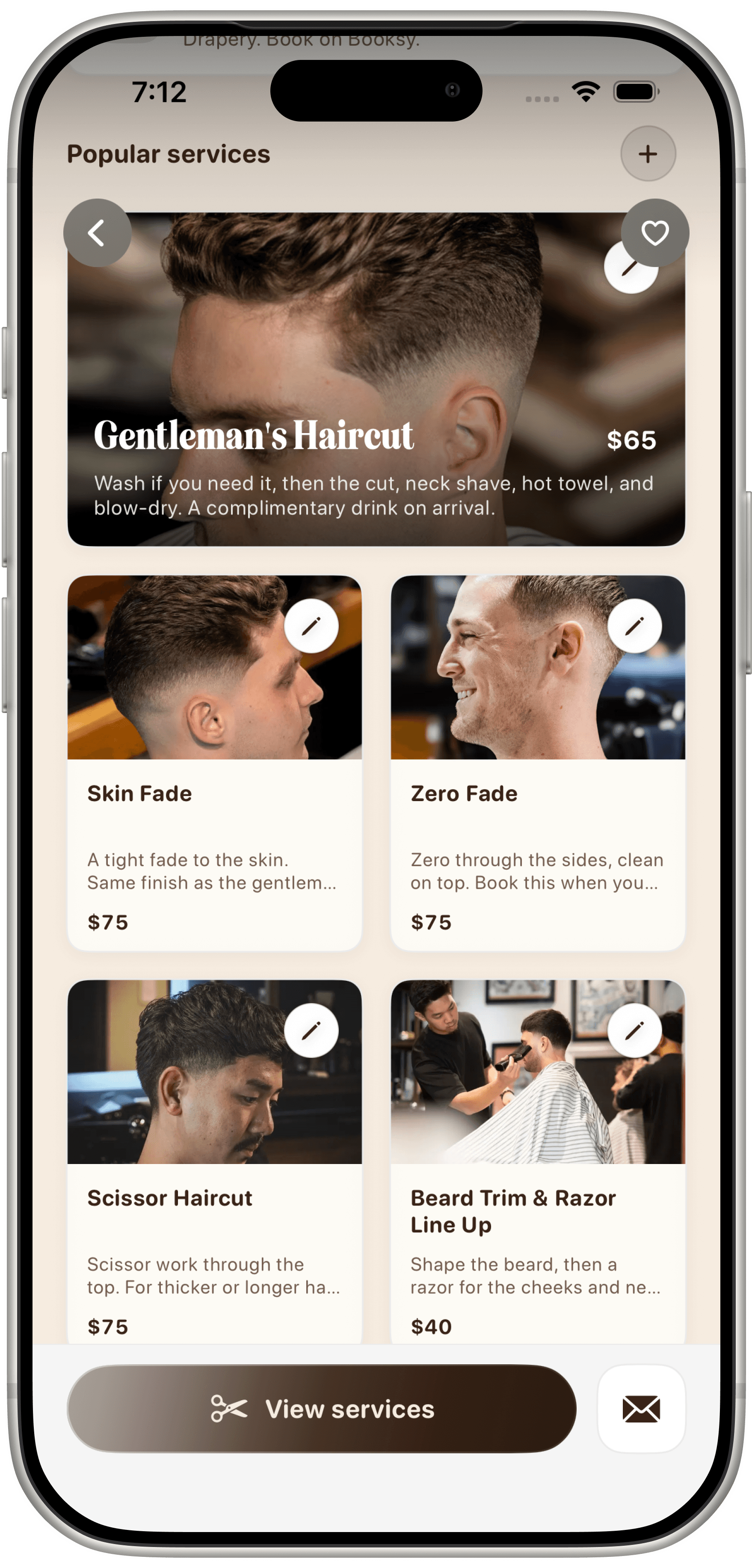
Popular services
Keep the chair menu tidy.
Haircuts and beard work with published prices. The pencils mark a demo editor.
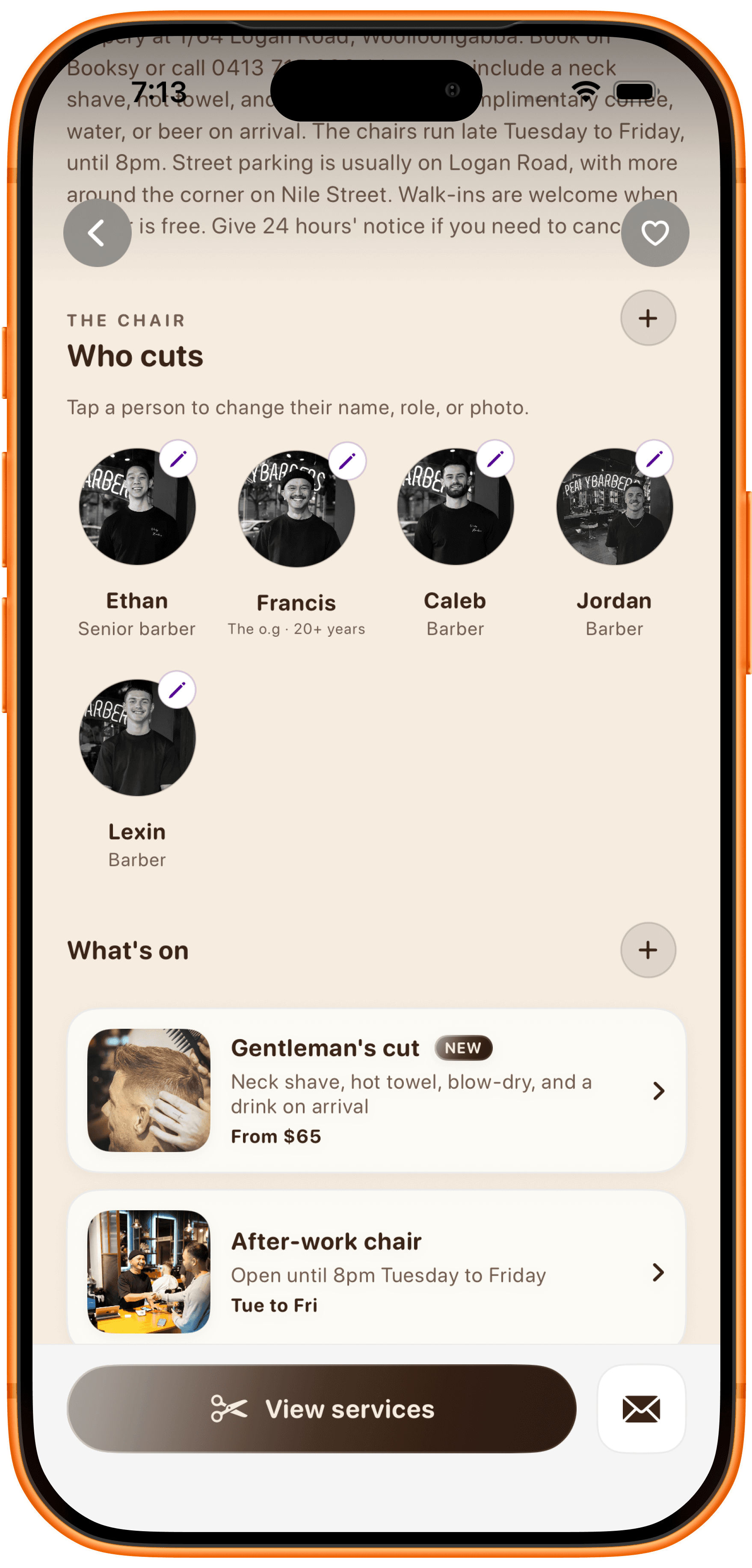
Team and What's on
Update people and notes.
Change a name, role or photo, or add a What's on note. Reward's Mate still reviews public listings.
Owner editing in the iPhone app is a prototype. A listing enquiry is reviewed before any public use.
Find nearby businesses, make a plan, open a real profile, and keep participating store cards on Profile. Owner editing is a demo in the pilot.
Journey 01
Browse local businesses around you by location, mood and what is happening nearby.
Journey 02
Open The Plan for Brisbane ideas, ready-made days, markets and events.
Journey 03
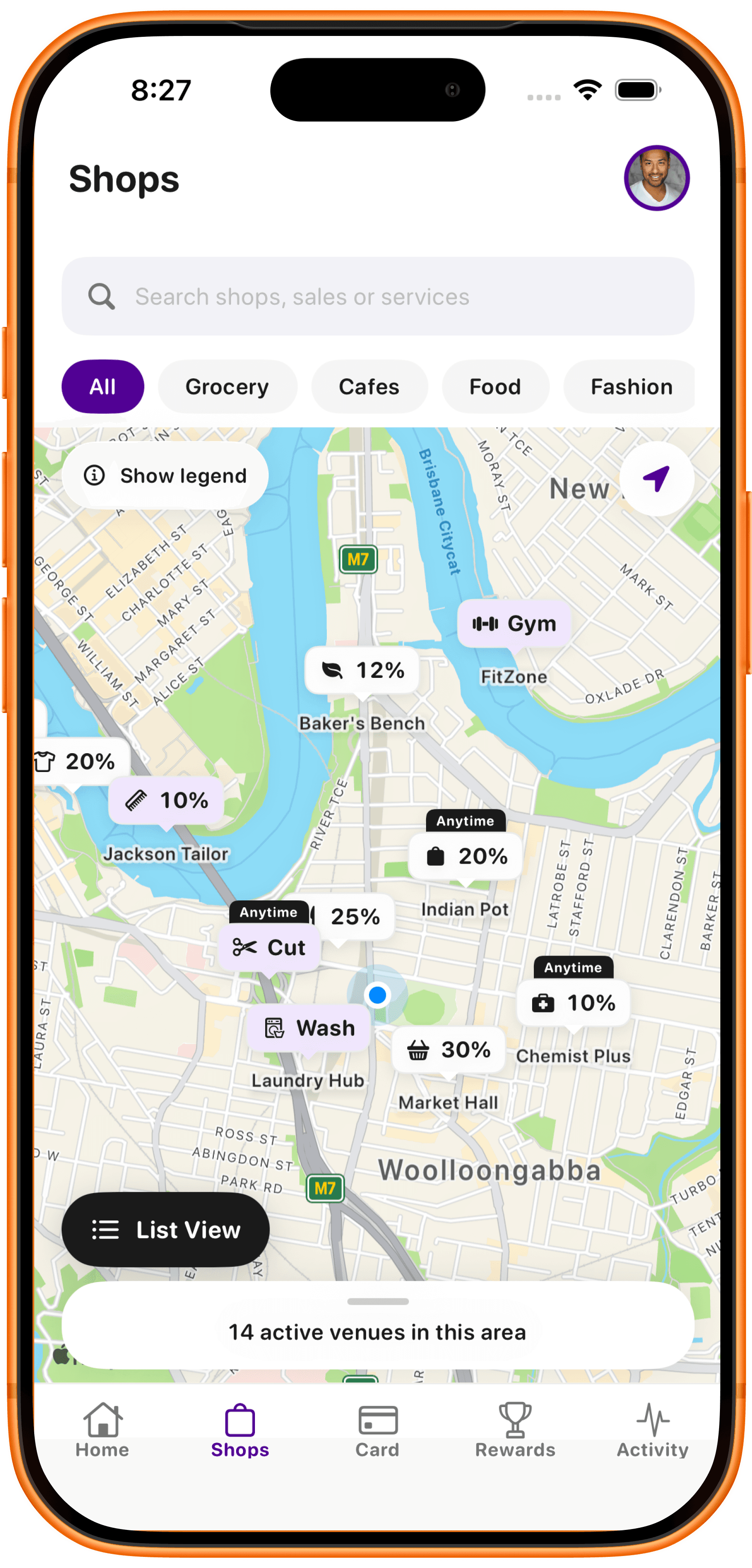
Explore nearby venues around Woolloongabba and inner Brisbane, then jump back to the list.
Journey 04
Open a real profile with photos, hours, location, story and a path to the menu.
Journey 05
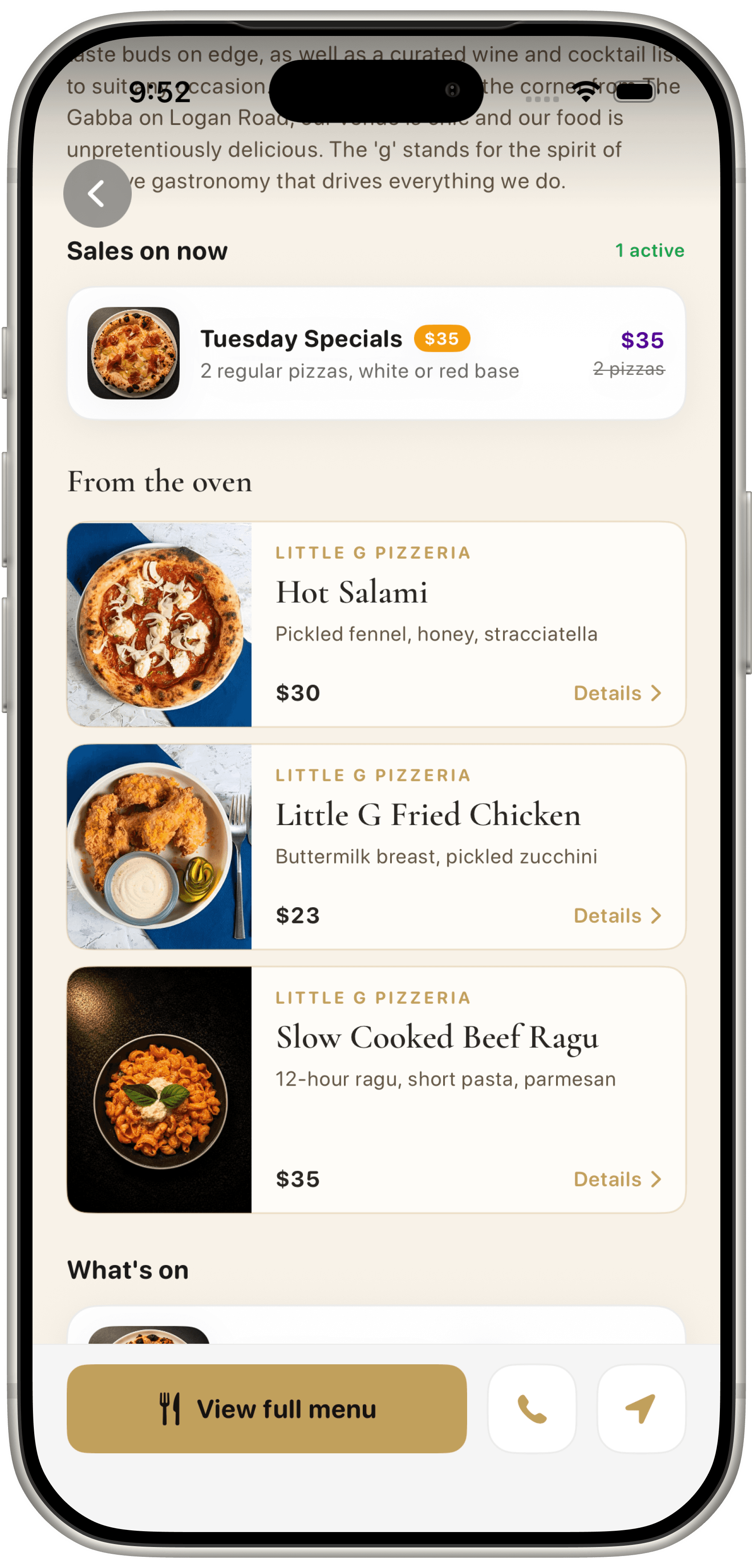
Understand what the business provides, including prices where the business publishes them.
Journey 06
Your details and participating store loyalty cards live here. This preview shows none yet. Linking a store is a demo in the pilot.
Journey 07
A linked listing can show edit tools for copy, services and What's on. In the pilot this is a prototype. I still prepare the public page with you first.
Want more screens? Open the full app preview gallery
Clear rules for how Reward's Mate uses location, preferences and business information in V1.
Reward's Mate is free for customers. Basic business listings are free. Optional store loyalty is discussed separately and is not a published paid offer yet.
Use approximate or precise location only in line with the app's permission model. You can change device permissions at any time.
Preferences, categories, saved businesses and app activity may be used to make discovery more relevant.
Listings should clearly identify information supplied by the business versus information created by Reward's Mate, where relevant.
Manage account, communication and privacy controls from your account and device settings.
Reward's Mate does not process customer purchases, deliveries or bookings.
Reward's Mate is in iPhone pilot in Brisbane. Customers can browse local businesses, menus, services and plans. Store loyalty depends on each participating business.
| First market | Brisbane |
|---|---|
| Customer discovery experience | Pilot now |
| Business listings | In the iPhone app |
| Customer cost | Free |
| Business listing cost | Free basic listing |
| iPhone | Pilot / Early access |
| Android | Planned |
| Web experience | Planned |
| Store loyalty | Per participating store, when offered |
| Reward's Mate-wide points | Retired. No Reward's Mate-wide points or redemption |
FAQ
Clear answers on discovery, listings, cost, availability and support.
Early access
Register for the Brisbane iPhone pilot. Selected testers get a TestFlight invite. A basic listing is free and is not live until I confirm it.
Reward's Mate (powered by Shopper's Mate) uses the information you provide to manage early-access interest, business-listing enquiries, local discovery preferences and product updates where you choose to receive them. Marketing updates are optional. Read the Privacy Policy for full details, or contact the privacy team at info@rewardsmate.com.au.